
GSP - Risk


Managing risk is not just about identifying issues; it is about acting on them without delay. Missed updates, overdue reviews, and stalled approvals often come down to one thing: poor communication. These gaps can expose your organisation to real risk. The Email Notifications feature in GSP - Risk addresses these pain points by automating alerts, so the right people are informed at the right time.
This self-help guide walks you through how to configure and get the most out of this feature. You will learn how it works, why it matters, who it benefits, and how it transforms your workflow.
Risk professionals widely agree that communication gaps can compromise risk frameworks, allowing small oversights to escalate into compliance issues, a theme often echoed in guidance from the Institute of Risk Management.
GSP – Risk tackles these pain points by allowing you to:
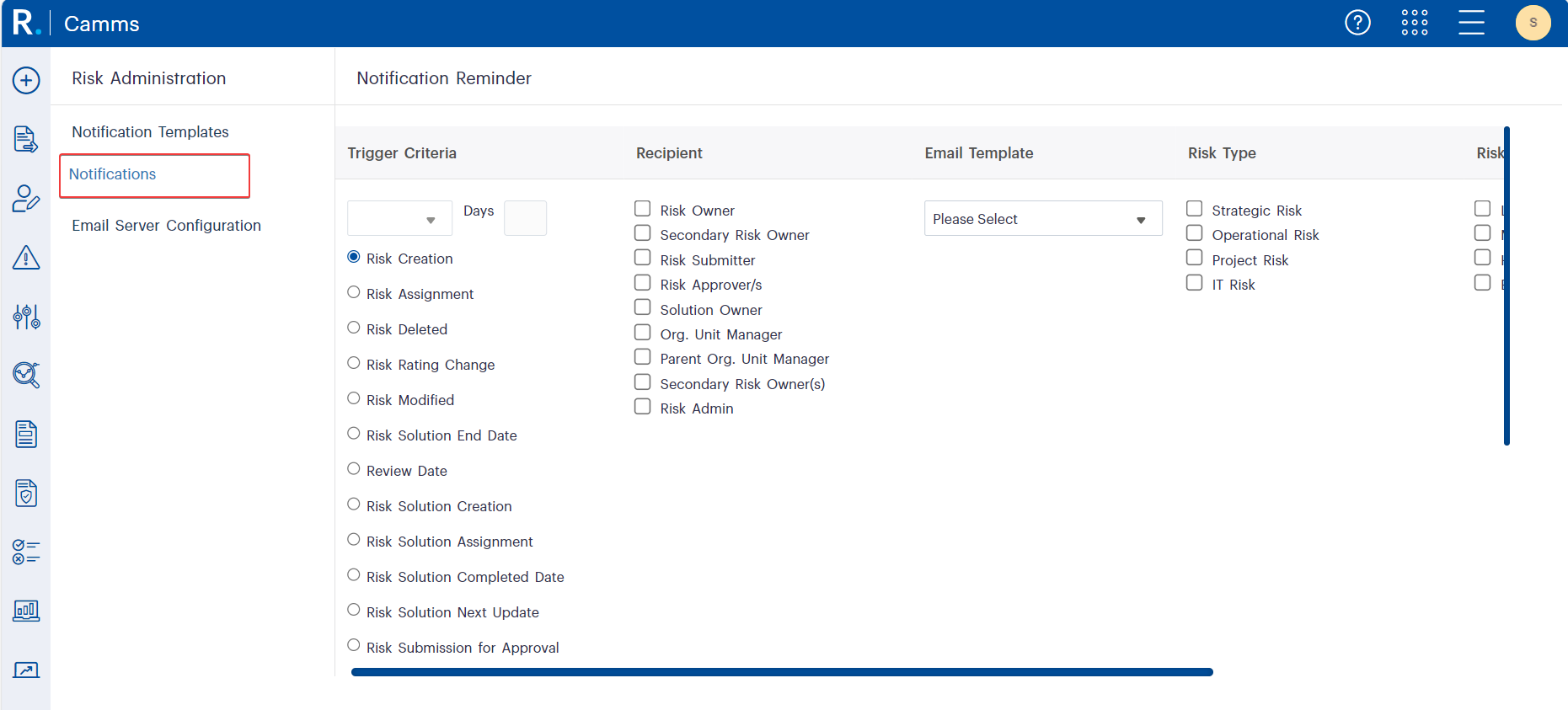 Figure 1.1: Risk Notification Trigger Setup UI.
Design Custom Email Templates
Under Risk Administration > Notification Templates, you can build tailored templates that align with your communication tone, branding, and operational requirements.
Insert snippets like:
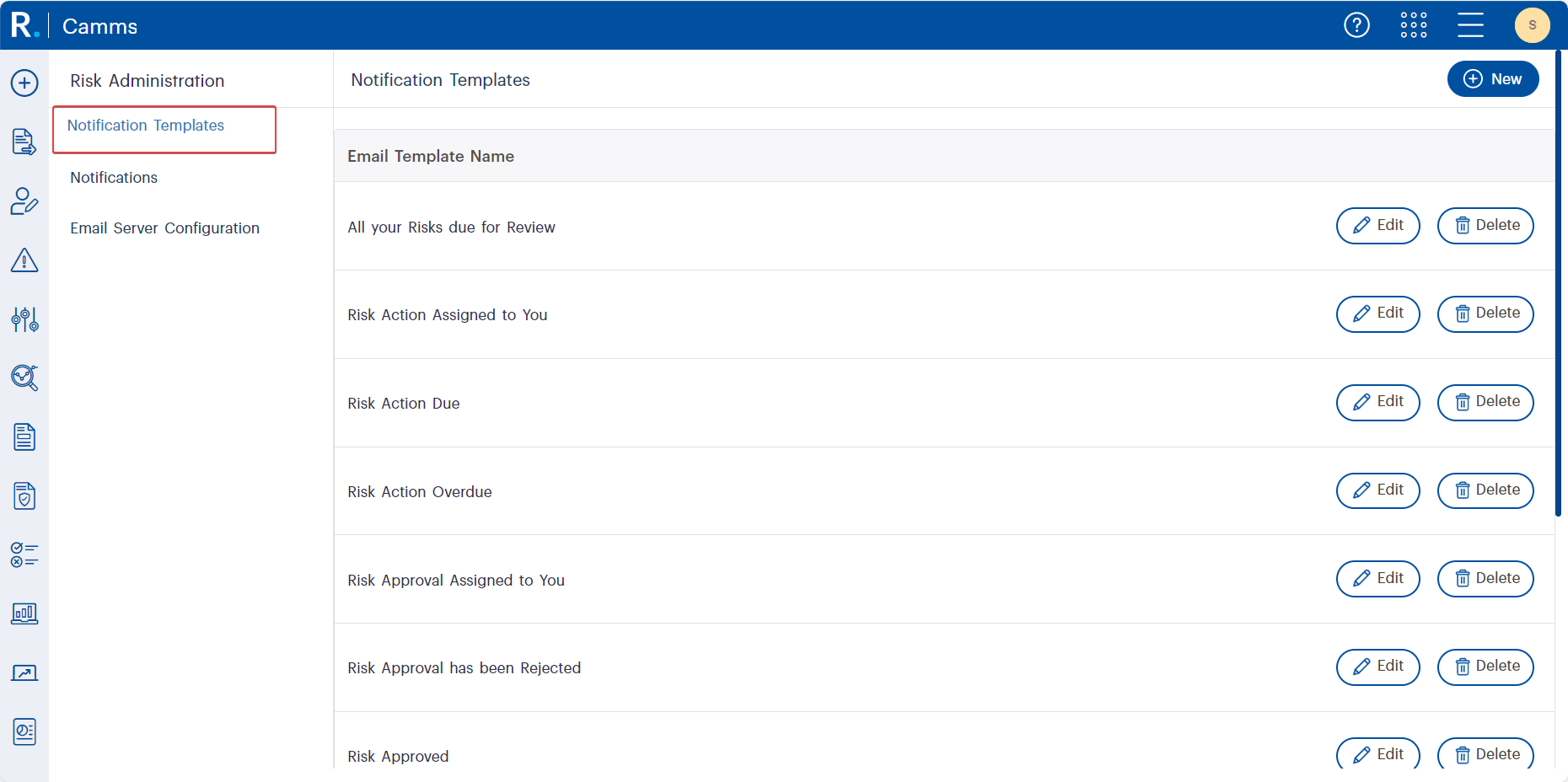 Figure 2.1: Manage and customise Notification Templates in GSP - Risk.
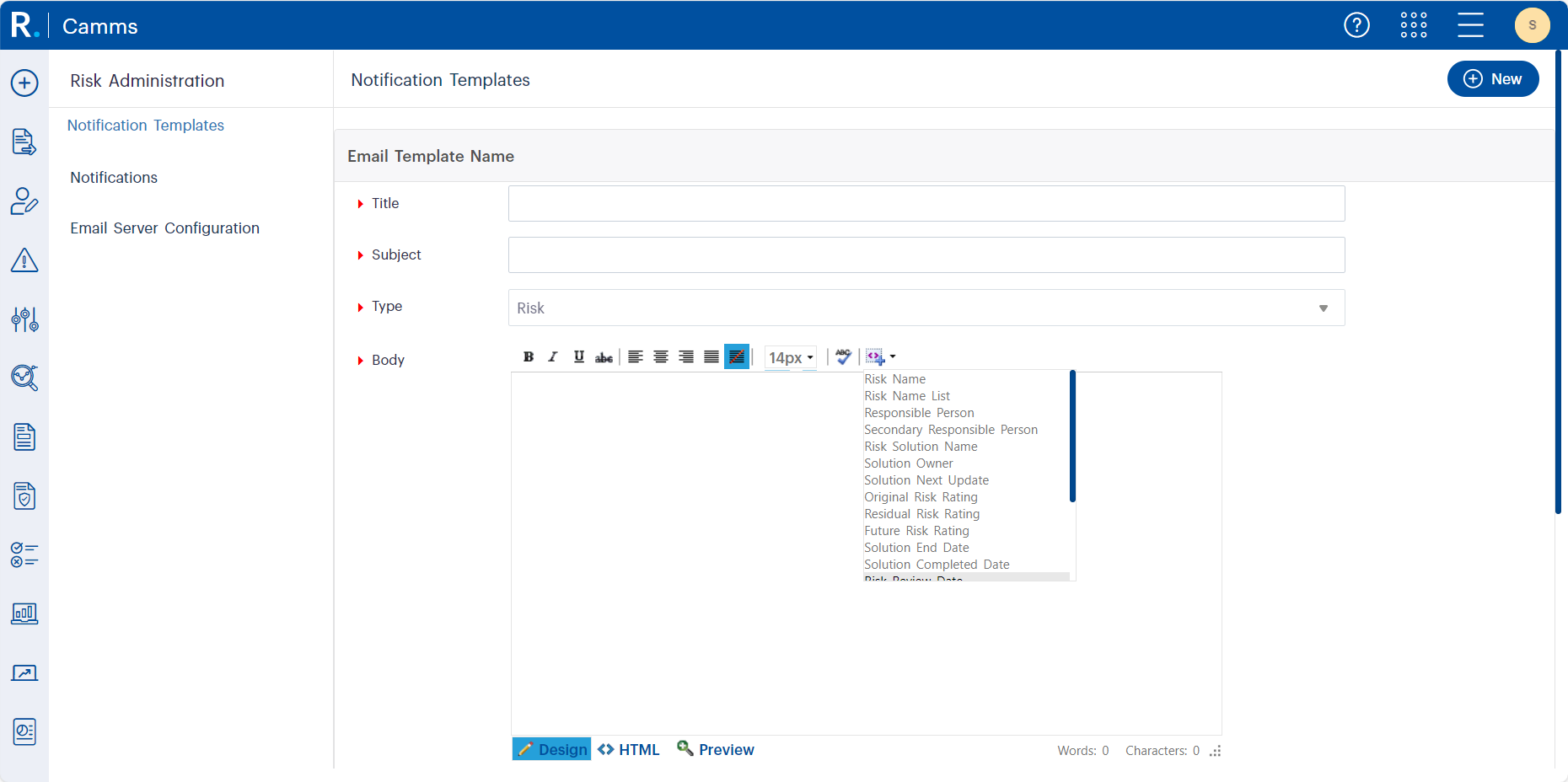 Figure 2.2: Choose from a list of snippets to personalise your notification body.
 Figure 2.3: Choose HTML view or Design view to customise the layout, embed hyperlinks, and add snippets according to your preference.
Configure Automated Email Triggers
Once templates are created, navigate to Risk Administration > Notifications to assign them to specific triggers.
You can configure alerts for:
Need tailored help configuring complex trigger rules across departments? Our Virtual Consultants can assist with setup, optimisation, and alignment with your governance model.
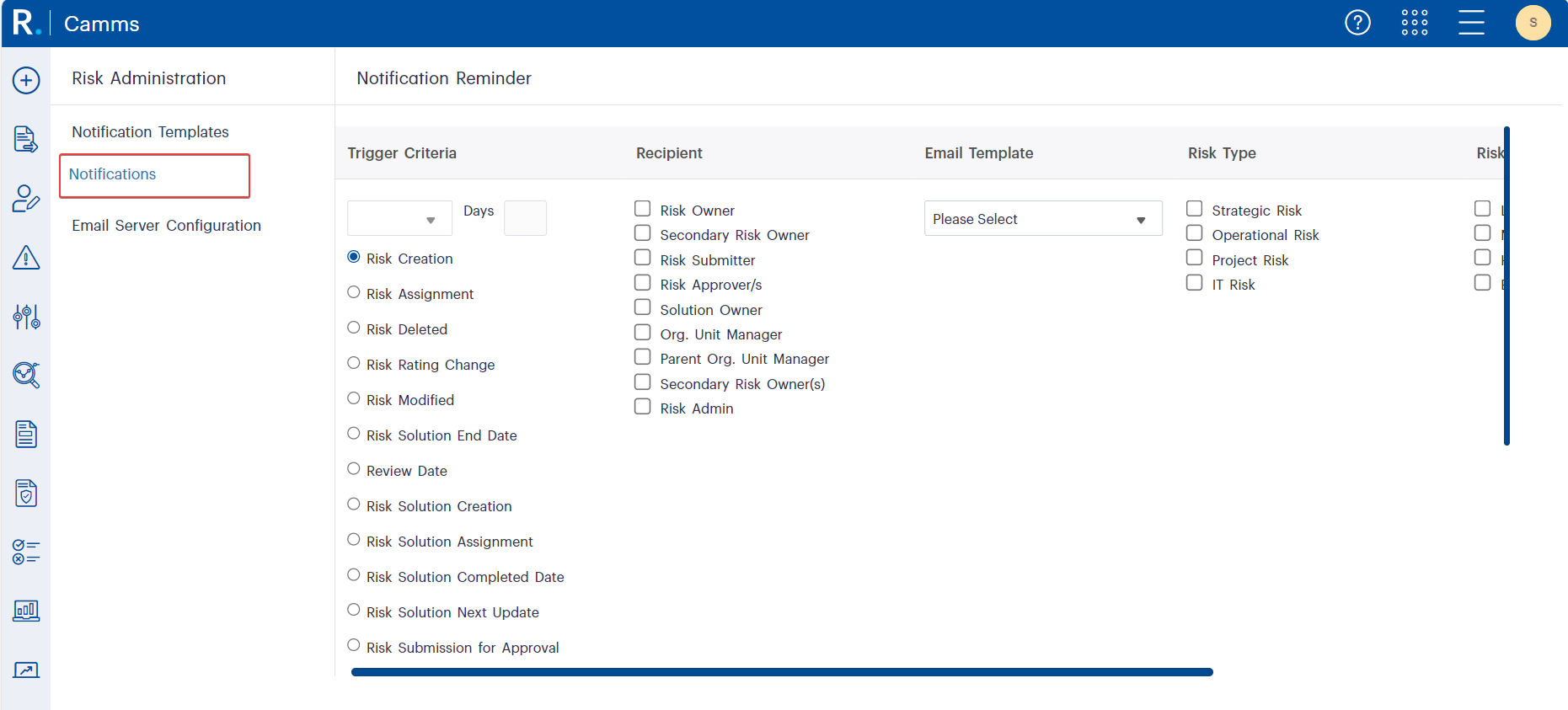 Figure 3.1: Notification trigger setup screen in GSP - Risk, showing how administrators can define criteria, select recipients, choose an email template, and target specific risk types for automated alerts.
Local Government
Pain Point: High volume of risks across departments
Solution: Use [Risk Assignment] triggers with the [Risk Name List] snippet for consolidated risk emails to department heads.
What Are Consolidated Emails?
Consolidated emails group multiple notifications into a single message, sent at a scheduled time each day. For example, if a risk manager is assigned five new risks, they will receive one email listing all five, rather than five separate emails. This reduces clutter, improves visibility, and helps stakeholders, especially new users, manage notifications more effectively.
Finance
Pain Point: Manual follow-ups delay compliance reviews
Solution: Set a Review Date trigger with an email sent 3 days before the due date.
Healthcare
Pain Point: Missed updates on risk actions
Solution: Enable Solution Assignment trigger using [Solution Name List] to alert department heads.
Mining
Pain Point: Inconsistent awareness of high-risk activities
Solution: Bulk triggers for Risk Modifications ensure multi-site HSE teams stay informed.
Q: Why are snippets appearing as plain text?
A: Make sure you use supported snippets for bulk email triggers. For instance, [Risk Name List] and [Solution Name List] are the correct options.
See the snippet compatibility chart
Q: Can I add custom recipients like Risk Managers?
A: Yes — navigate to Role Management, and ensure the role has ‘Show as Email Recipient’ permission enabled.
Instructions available in the Risk Administration – Notification article.
For advanced configurations or troubleshooting edge cases, our Virtual Consulting team can help you get it right the first time.
We know setting this up might be complex the first time. That’s why we offers:
The Email Notifications feature in GSP – Risk is not just about alerts, it is about embedding accountability, visibility, and action into your risk management process.
Watch the on-demand webinar for detailed use cases and an in-depth exploration.